Understand your CV.
Explore your strengths, gaps and experience so you know what to bring into the conversation.
 LensAidby VPO Labs
Personalized answers, as the conversation happens.
The interviewer asks. LensAid answers using your experience.
Start a session to get live guidance.
I’d reserve the appointment with a conditional update in PostgreSQL, so only one request can claim the slot.
Visible to you. Hidden from your screen share.Including full-screen sharing in tested setups.
Local transcription. Streamed answers.
PUBLIC BETA · 20 PLACES
For the first 20 accepted beta users. Combine with 35 onboarding credits for 135 free credits. No card required.
Checking beta availability…
ONE MORE STEP
Open the LensAid email, answer three short questions and confirm your address to join the beta.
BEFORE, DURING AND AFTER
Turn your experience and the job description into focused interview preparation.
Explore your strengths, gaps and experience so you know what to bring into the conversation.
Extract the requirements and responsibilities, then see how your profile matches the role.
Bring your CV and role context into the answers LensAid suggests during your interview.
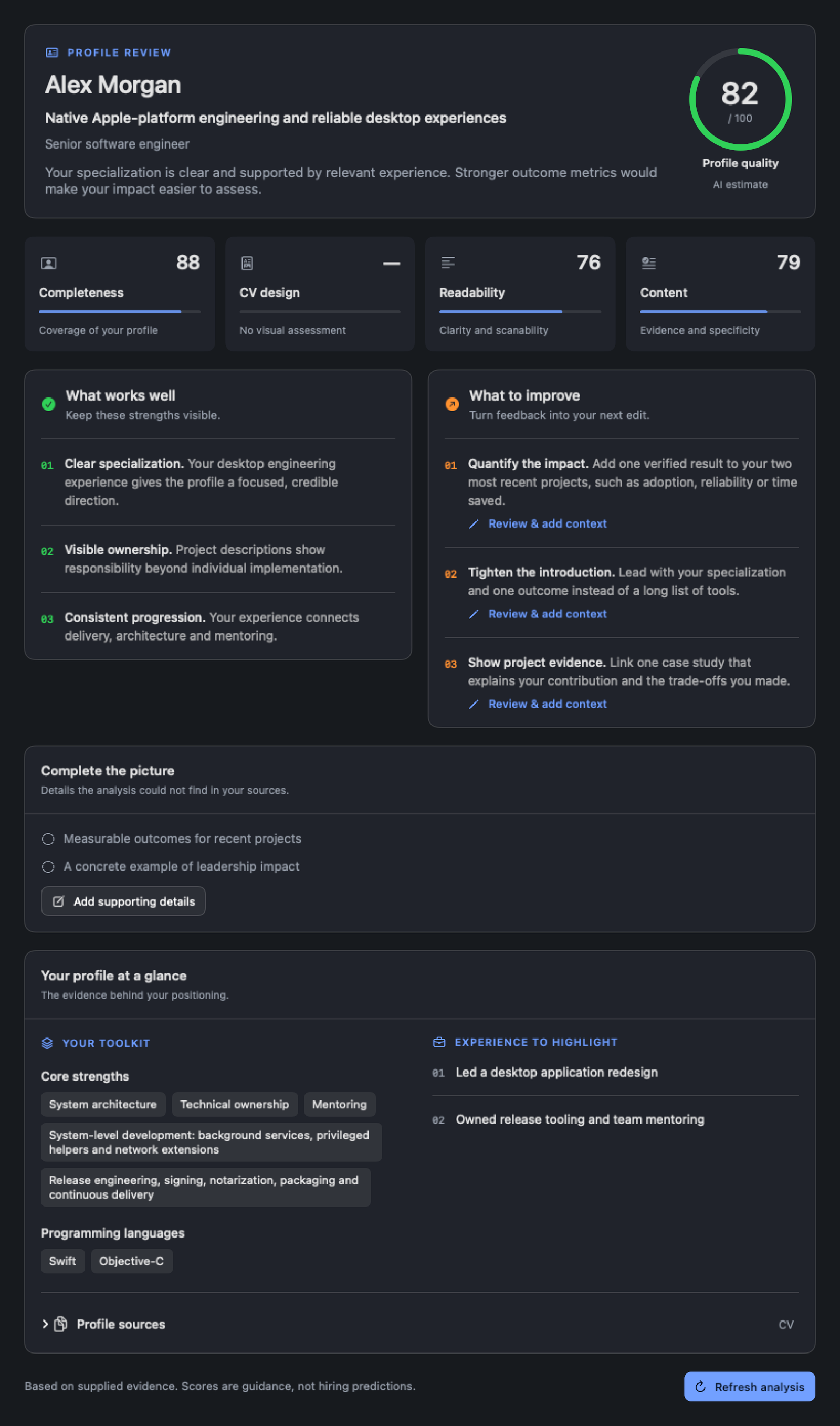
YOUR PREPARATION WORKSPACE
Keep your profile, opportunities and interview preparation together. After the call, return to your transcript and recap to reflect on the conversation.
Explore profile analysis ↗LensAid never joins the meeting. No bot, invitation or extra guest.
Your companion stays out of the shared screen in tested screen-sharing setups.
A natural extension of your Mac’s notch, keeping guidance close to the camera.
YOUR MEETING APPS. NO EXTRA PLUGINS.
Designed to work with
Uses your Mac’s audio after the one-time model and permissions setup. Apple Silicon · macOS 14+ · English transcription.
Setup details ↗35 free onboarding credits · Check public beta availability